The topic Why Users Prefer Classic Paint continues to gain attention, even in an era dominated by advanced design software. Despite the rise of modern tools, many users still choose the simplicity of classic applications like Microsoft Paint.
Classic Paint has been a part of the Windows ecosystem for decades. Its straightforward interface, fast performance, and ease of use make it a favorite among beginners, casual users, and even professionals who need quick edits.
In this detailed tutorial article, we explore Why Users Prefer Classic Paint, examining its features, advantages, and lasting appeal.
What Is Classic Paint?
Classic Paint refers to the traditional version of Microsoft Paint found in older versions of Windows. Unlike modern graphic design software, it focuses on basic drawing and image editing tasks.
Key Characteristics
- Lightweight and fast
- Minimal system requirements
- Easy-to-use interface
- No steep learning curve
Why Users Prefer Classic Paint Over Modern Tools
Understanding Why Users Prefer Classic Paint requires looking at how it compares to newer, more complex software.
Simplicity and Ease of Use
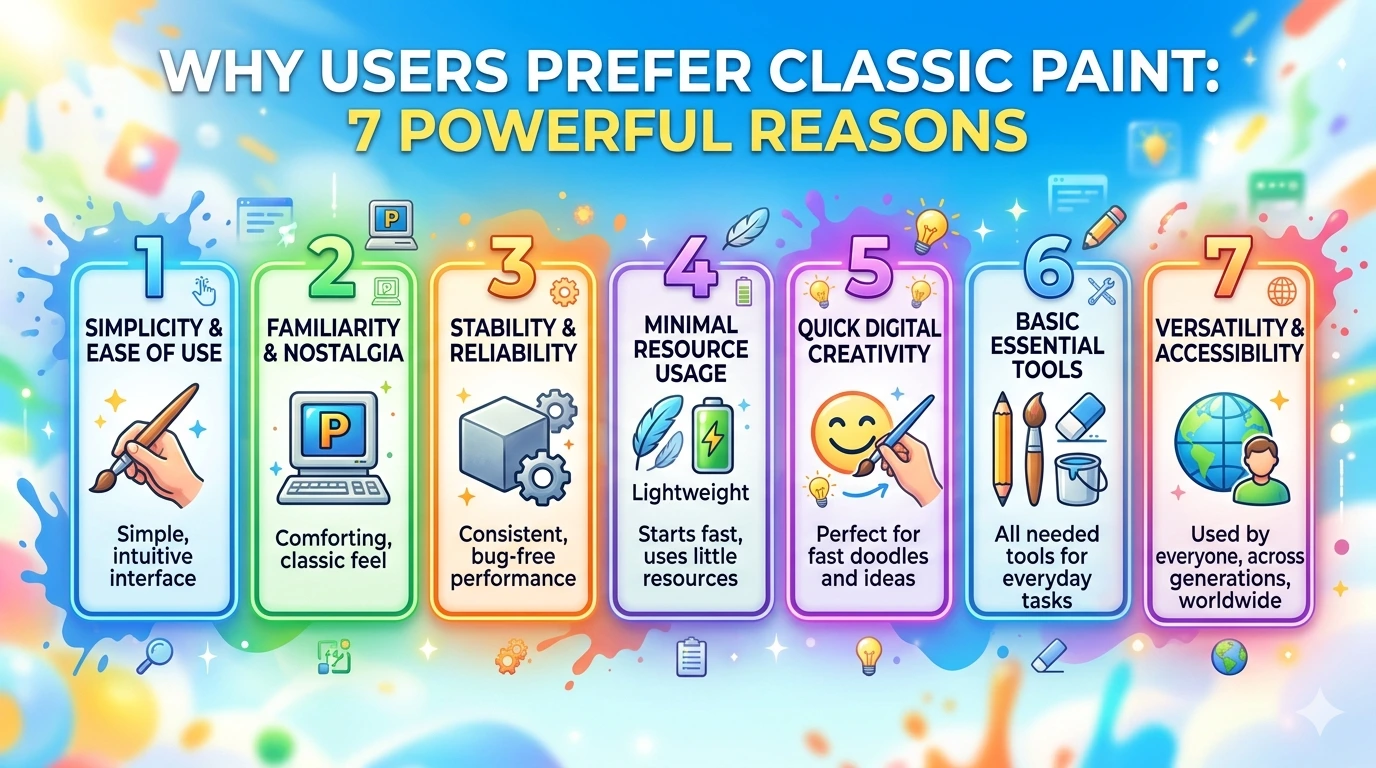
One of the biggest reasons Why Users Prefer Classic Paint is its simplicity. Users can open the program and start drawing immediately without tutorials.
Unlike tools such as Adobe Photoshop, Classic Paint does not overwhelm users with advanced features.
Fast Performance on Any System
Classic Paint runs smoothly on almost any computer, including older machines.
Benefits include:
- Instant startup
- No lag or heavy processing
- Works on low-end hardware
No Installation or Setup Required
Classic Paint comes pre-installed with Windows, making it instantly accessible.
Users do not need:
- Accounts
- Subscriptions
- Downloads
Lightweight and Resource Efficient
Modern software can consume significant system resources. Classic Paint uses minimal CPU and memory, making it ideal for quick tasks.
Why Users Prefer Classic Paint for Quick Tasks
Many users rely on Classic Paint for everyday image editing.
Common Use Cases
- Cropping images
- Resizing pictures
- Adding simple text
- Creating basic drawings
Perfect for Beginners
Another major reason Why Users Prefer Classic Paint is its beginner-friendly nature.
New users can:
- Learn basic image editing
- Practice drawing skills
- Understand digital tools without complexity
Nostalgia and Familiarity
Classic Paint has been part of Windows since early versions. Many users grew up using it.
Emotional Connection
- Familiar interface
- Childhood memories
- Consistent design over years
This nostalgia plays a big role in Why Users Prefer Classic Paint.
Why Users Prefer Classic Paint for Education
Teachers and students often use Classic Paint in classrooms.
Educational Benefits
- Easy for children to learn
- Encourages creativity
- No distractions from advanced tools
Limitations of Classic Paint
While exploring Why Users Prefer Classic Paint, it is also important to understand its limitations.
Lack of Advanced Features
- No layers
- Limited effects
- Basic tools only
Not Suitable for Professional Design
For complex projects, users prefer tools like Adobe Illustrator.
Classic Paint vs Modern Alternatives
| Feature | Classic Paint | Modern Tools |
|---|---|---|
| Ease of Use | Very Easy | Moderate to Complex |
| Performance | Fast | Resource Heavy |
| Features | Basic | Advanced |
| Cost | Free | Often Paid |
Why Users Prefer Classic Paint in Low-Spec Systems
Older computers benefit from lightweight applications.
Advantages
- No system slowdown
- Compatible with legacy hardware
- Reliable performance
Tips to Get the Most Out of Classic Paint
- Use keyboard shortcuts for faster editing
- Combine with other tools for better results
- Save files in multiple formats
Learn more about Paint from the official page: Microsoft Paint overview
Windows Tutorial: Beginner’s Guide to PC Basics
Frequently Asked Questions
1. Why do users still prefer Classic Paint?
Because it is simple, fast, and easy to use for basic tasks.
2. Is Classic Paint still available in Windows 11?
Yes, though it has been updated, the core features remain similar.
3. Can Classic Paint be used for professional work?
No, it is best for simple edits and basic drawings.
4. What makes Classic Paint different from Photoshop?
Classic Paint is simple, while Photoshop offers advanced editing tools.
5. Is Classic Paint free?
Yes, it comes pre-installed with Windows.
6. Why is Classic Paint good for beginners?
It has an intuitive interface with minimal tools, making it easy to learn.
Conclusion
The topic Why Users Prefer Classic Paint highlights how simplicity can often outperform complexity. While modern tools offer advanced capabilities, Classic Paint remains relevant due to its speed, ease of use, and accessibility.
For quick edits, learning, or nostalgic use, Classic Paint continues to be a reliable choice for millions of users worldwide.