

Messaging apps are a central part of modern communication, and Apple’s ecosystem is known for offering seamless integration across devices. However, users sometimes encounter confusing issues — especially in group chats or when mixing iPhone and non-Apple devices.
This usually happens because of specific Apple messaging protocols or group size requirements. If you’ve ever wondered why messages turn green, why group chats split into separate threads, or why some participants don’t receive messages, the answer often lies in how Apple’s messaging infrastructure works.
In this comprehensive guide, we’ll break down:
- How Apple messaging protocols function
- The difference between iMessage and SMS/MMS
- Why group chats behave differently
- Group size limits and technical constraints
- Common problems and their fixes
- Best practices for reliable group messaging
Let’s dive deep into how Apple messaging works behind the scenes.
Understanding Apple’s Messaging Ecosystem
Apple devices use two main messaging systems:
- iMessage
- SMS/MMS
On devices like the iPhone, messages are automatically sent using iMessage when all participants are connected to Apple’s ecosystem. If not, the system falls back to SMS or MMS via the cellular carrier.
The confusion begins when users don’t realize which protocol is being used.
What Is iMessage?
iMessage is Apple’s proprietary messaging platform that works over the internet instead of traditional cellular networks.
Key Features of iMessage:
- End-to-end encryption
- High-resolution media sharing
- Read receipts
- Typing indicators
- Tapbacks and reactions
- Message editing and unsending (in recent iOS versions)
- Seamless syncing across Apple devices
iMessage only works between Apple devices signed into an Apple ID.
What Is SMS and MMS?
When messaging someone without an Apple device, your iPhone switches to:
- SMS (Short Message Service) for text-only messages
- MMS (Multimedia Messaging Service) for photos, videos, and group messages
These are carrier-based protocols and lack the advanced features of iMessage.
This protocol shift is the root cause of many group messaging issues.
Why Messages Turn Green Instead of Blue
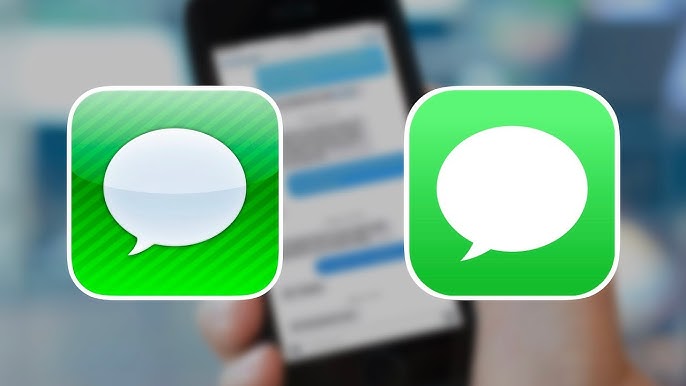
On the iPhone:
- Blue bubbles = iMessage
- Green bubbles = SMS/MMS
If one participant in a group doesn’t use iMessage, the entire conversation may switch to MMS. This removes advanced features and introduces limitations.
This usually happens because of Apple messaging protocols determining compatibility in real time.
Group Messaging: Why Problems Occur
Group messaging issues typically arise for these reasons:
- Mixed device types (Apple + Android)
- Exceeded group size limits
- Carrier restrictions
- Disabled MMS settings
- Poor internet connectivity
- Incorrect Apple ID configuration
Let’s explore these in detail.
Apple Group Size Requirements
Group size limits depend on the protocol used.
iMessage Group Limits
Apple allows large iMessage groups (often 32 participants or more depending on iOS version). Because iMessage runs over internet servers, it’s more scalable.
MMS Group Limits
MMS group size is controlled by carriers and may be limited to 10–20 participants.
If a group exceeds MMS limits, messages may fail or split into multiple threads.
This usually happens because of specific Apple messaging protocols falling back to MMS.
Mixed Device Group Chats
When an Android user joins a group with iPhone users:
- The conversation becomes MMS
- Encryption is removed
- Message features downgrade
- Group size limits apply
Even if 9 out of 10 participants use iPhones, one Android device forces the protocol change.
Why Group Chats Split Into Separate Threads
One common issue is duplicate or split group chats.
This happens when:
- A participant turns iMessage off
- Someone changes their phone number
- A user switches devices
- An Apple ID is misconfigured
- Messages are sent to email instead of phone number
Because iMessage identifies participants by Apple ID and phone number combinations, any change can trigger a new group thread.
Encryption and Protocol Switching
iMessage uses end-to-end encryption. MMS does not.
When encryption cannot be maintained (due to non-Apple devices), the system switches protocols automatically.
This security-first design explains many group messaging inconsistencies.
Carrier Restrictions and MMS Limitations
Cellular carriers impose MMS restrictions such as:
- File size limits
- Group participant caps
- Data throttling
- Regional compatibility
When sending large videos, the system may fail or heavily compress files.
This usually happens because MMS infrastructure cannot handle modern media demands.
Internet Connectivity and Server Dependencies
iMessage requires:
- Active internet connection
- Apple server availability
- Correct Apple ID login
If Wi-Fi or mobile data drops, messages may temporarily switch to SMS.
iOS Version Compatibility
New messaging features introduced in recent versions of iOS may not function properly if participants use older versions.
Examples include:
- Message editing
- Undo send
- Advanced reactions
Older devices may receive these as plain text descriptions.
Common Messaging Issues and Fixes
1. Group Messages Not Delivering
Fix:
- Enable MMS in Settings → Messages
- Confirm mobile data is active
- Restart device
- Reset network settings
2. Messages Sending Individually Instead of Group
Fix:
- Turn on “Group Messaging” in Settings
- Ensure MMS is enabled
- Confirm all participants are reachable
3. One Person Not Receiving Messages
Fix:
- Ask them to check iMessage activation
- Verify correct phone number/email
- Remove and recreate the group
4. Media Not Sending in Group Chat
Fix:
- Reduce file size
- Ensure MMS is enabled
- Use a cloud sharing link instead
Why Apple Designed It This Way
Apple prioritizes:
- Security
- Encryption
- Seamless Apple ecosystem integration
- User privacy
The protocol automatically selects the most secure option available. When security cannot be maintained (mixed device groups), functionality is reduced.
Impact of Apple ID Configuration
Each user’s Apple ID determines:
- iMessage routing
- Device syncing
- Contact linking
Incorrect Apple ID setup may cause:
- Messages sent to email instead of phone
- Split group threads
- Delivery failures
Advanced Messaging Architecture Overview
Behind the scenes:
- iMessage sends encrypted packets to Apple servers.
- Servers route messages to recipients’ devices.
- Devices decrypt locally.
MMS, by contrast:
- Messages route through carrier servers.
- Media may be compressed.
- Delivery reports depend on network support.
Different infrastructures = different behaviors.
Why Large Groups Fail More Often
Large groups increase the chance that:
- One participant has poor connectivity
- One device uses outdated iOS
- A participant disables iMessage
- Carrier MMS limits are exceeded
One weak link can affect the entire group thread.
Best Practices for Stable Group Messaging
- Keep devices updated
- Ensure iMessage is enabled
- Avoid mixing platforms for large groups
- Verify MMS settings
- Maintain stable internet connection
- Recreate problematic groups
When to Use Alternatives
If you frequently communicate in mixed-device groups, consider cross-platform messaging apps that operate independently of SMS/MMS.
These apps rely solely on internet protocols and avoid carrier limitations.
Business and Enterprise Considerations
In business environments:
- Mixed device usage is common
- MMS limits are problematic
- Security policies may restrict messaging
Companies often adopt enterprise communication platforms for reliability.
Privacy Considerations
iMessage provides end-to-end encryption.
MMS does not.
Users concerned about privacy should:
- Prefer all-Apple groups
- Avoid SMS fallback
- Monitor encryption indicators
Troubleshooting Checklist
If you experience messaging issues:
✔ Check internet connection
✔ Verify iMessage activation
✔ Enable MMS
✔ Confirm correct contact details
✔ Restart device
✔ Update iOS
✔ Recreate group
Future of Apple Messaging
Apple continues to evolve its messaging platform with updates to iOS.
New features aim to:
- Improve cross-platform compatibility
- Enhance encryption
- Expand media capabilities
- Reduce fragmentation
However, protocol differences will likely remain as long as SMS/MMS exist.
Why This Problem Is So Common
Messaging failures typically occur when users assume all group chats operate identically.
In reality:
- iMessage and MMS are fundamentally different systems
- Carrier limitations influence functionality
- Group size rules vary
- Encryption standards dictate protocol behavior
This usually happens because of specific Apple messaging protocols or group size requirements working behind the scenes without user awareness.
Final Thoughts
Apple messaging is powerful, secure, and seamless—when used within its intended ecosystem. However, mixing platforms or exceeding group size limits can trigger unexpected behavior.
Understanding the technical differences between iMessage and MMS helps explain:
- Why messages turn green
- Why groups split
- Why delivery fails
- Why media compresses
Why some features disappear
Most issues aren’t device malfunctions. They are protocol-based limitations designed around compatibility and security.
By understanding Apple messaging protocols and group size requirements, you can:
- Prevent common errors
- Maintain stable group chats
- Improve delivery reliability
- Protect your privacy
- Troubleshoot efficiently
Messaging technology is more complex than it appears. But with the knowledge from this guide, you’re now equipped to understand exactly why these issues occur—and how to fix them.