For years, document formats have played a crucial role in how we create, share, and preserve information. From plain text files to proprietary binary formats, the evolution has been driven by the need for better compatibility, transparency, and efficiency. When Microsoft introduced the OpenXML format, it marked a significant turning point—not just for the company, but for the entire digital document ecosystem. This time, Microsoft got it right.
What Is OpenXML?
OpenXML, officially known as Office Open XML (OOXML), is a file format developed by Microsoft for representing spreadsheets, charts, presentations, and word processing documents. It became the default format for Microsoft Office starting with Office 2007. Files like .docx, .xlsx, and .pptx are all based on this standard.
Unlike older binary formats such as .doc or .xls, OpenXML is built on XML (Extensible Markup Language). This means that documents are structured in a way that is both human-readable and machine-readable, making them easier to process, analyze, and recover.
Why OpenXML Matters
Before OpenXML, Microsoft Office formats were proprietary and closed. This created challenges for developers, businesses, and governments that needed long-term access to their data. Interoperability with other software platforms was limited, and reverse engineering these formats was often difficult and unreliable.
OpenXML addressed these issues by introducing a standardized, open format. It was later approved as an international standard by ISO/IEC, further cementing its credibility and global acceptance.
Key Advantages of OpenXML
1. Transparency and Accessibility
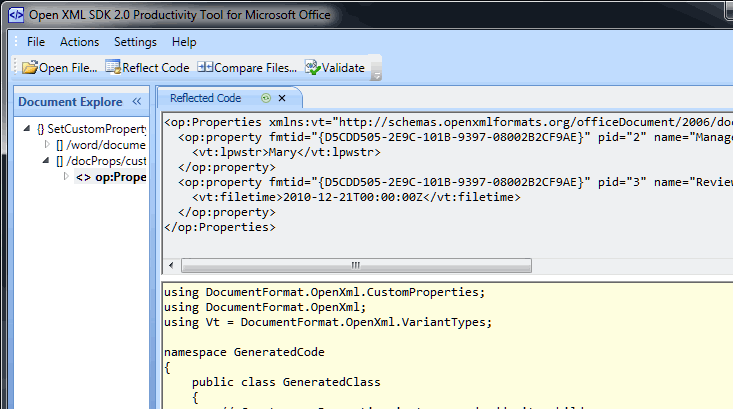
Because OpenXML is based on XML, anyone can inspect the contents of a document using basic tools. In fact, a .docx file is essentially a ZIP archive containing multiple XML files and resources. This transparency allows developers to understand how documents are structured without relying on proprietary knowledge.
2. Improved Data Recovery
One of the major benefits of OpenXML is its resilience. If a document becomes corrupted, it’s often possible to recover parts of it by extracting and repairing individual XML components. This was nearly impossible with older binary formats, where corruption could render the entire file unusable.
3. Better Integration with Other Systems
OpenXML makes it easier to integrate Office documents with other applications and services. For example, businesses can automatically generate reports, invoices, or contracts by manipulating XML data directly. This level of automation was much harder to achieve with legacy formats.
4. Cross-Platform Compatibility
Although developed by Microsoft, OpenXML is not limited to Microsoft products. Many third-party applications, including open-source office suites, support OpenXML formats. This has significantly improved document sharing across different platforms and operating systems.
5. Smaller File Sizes
OpenXML files are typically smaller than their binary counterparts because they use ZIP compression. This makes them easier to store, share, and transmit over networks, especially in environments where bandwidth is limited.
A Win for Developers
Developers have particularly benefited from OpenXML. The structured nature of XML allows for precise control over document elements. Whether it’s inserting dynamic data into a template or extracting information from thousands of files, OpenXML provides a robust foundation.
Additionally, Microsoft provides extensive documentation and SDKs that simplify working with OpenXML. This openness encourages innovation and reduces the barrier to entry for building document-based solutions.
Addressing the Criticism
When OpenXML was first introduced, it faced criticism from parts of the tech community. Some argued that it was overly complex compared to other open document standards. Others questioned Microsoft’s motives, suggesting that the move toward openness was more strategic than altruistic.
While some of these concerns were valid, the practical benefits of OpenXML have largely outweighed the drawbacks. Over time, the format has matured, and tools for working with it have become more user-friendly and efficient.
OpenXML vs. Other Formats
OpenXML is often compared to the OpenDocument Format (ODF), another XML-based standard used by various office applications. While both formats aim to promote openness and interoperability, OpenXML has a distinct advantage due to its widespread adoption.
Because Microsoft Office remains one of the most widely used productivity suites in the world, OpenXML has become the de facto standard for document exchange in many industries. This ubiquity ensures that documents created in OpenXML are more likely to be compatible across different environments.
Real-World Impact
The introduction of OpenXML has had a tangible impact on businesses, governments, and individuals. Organizations can now archive documents with greater confidence, knowing that the format is standardized and well-documented. Developers can build more powerful tools that interact with Office files. Users benefit from improved reliability and compatibility.
In sectors like healthcare, finance, and education, where data integrity and accessibility are critical, OpenXML has proven to be a valuable asset.
The Future of Document Formats
As technology continues to evolve, so too will document formats. Cloud computing, real-time collaboration, and AI-driven workflows are shaping the next generation of productivity tools. OpenXML is well-positioned to adapt to these changes due to its flexible and extensible design.
Microsoft’s decision to embrace openness with OpenXML reflects a broader shift in the industry toward transparency and interoperability. It’s a move that has not only improved their own products but also contributed to a more connected digital world.
Conclusion
Microsoft OpenXML represents a rare moment where a major tech company successfully aligned its business interests with the broader needs of users and developers. By moving away from closed, proprietary formats and embracing an open standard, Microsoft has set a new benchmark for document technology.
While no format is perfect, OpenXML strikes a strong balance between functionality, accessibility, and compatibility. It’s a clear example of how thoughtful design and a willingness to adapt can lead to meaningful progress.
In the end, OpenXML isn’t just a technical improvement—it’s a statement. And this time, Microsoft truly got it right.