The internet feels instant and seamless, but behind every website you visit lies a complex system working silently to connect you to the right server. One of the most important components of this system is DNS—short for Domain Name System.
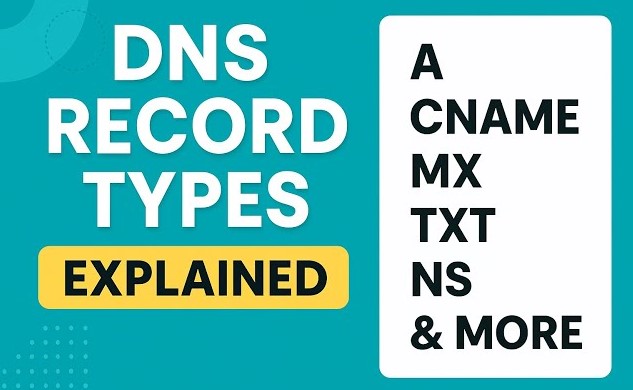
At the heart of DNS are DNS record types, which act as instructions that provide essential information about a domain or hostname. These records guide traffic, manage emails, and ensure that users reach the correct destination when they enter a web address.
In this in-depth guide, we’ll explore what DNS is, how it works, and break down all major DNS record types in a clear, beginner-friendly way.
What Is DNS?
DNS (Domain Name System) is often referred to as the “phonebook of the internet.” It translates human-readable domain names like:
example.com
into machine-readable IP addresses like:
192.168.1.1
Without DNS, users would need to remember complex numerical IP addresses instead of simple domain names.
How DNS Works (Step-by-Step)
Before diving into record types, let’s understand how DNS works.
Step 1: User Enters a Domain Name
You type a URL (e.g., example.com) into your browser.
Step 2: DNS Query Is Sent
Your browser sends a DNS query to a DNS resolver (usually provided by your ISP).
Step 3: Recursive Lookup Begins
If the resolver doesn’t have the answer cached, it queries:
- Root servers
- TLD (Top-Level Domain) servers
- Authoritative DNS servers
Step 4: IP Address Is Returned
The authoritative server responds with the correct IP address.
Step 5: Connection Is Established
Your browser connects to the server using that IP and loads the website.
What Are DNS Record Types?
DNS record types are specific entries in a DNS database that provide instructions about a domain. Each record type serves a unique purpose, such as directing traffic, verifying ownership, or handling email routing.
Think of DNS records as rules that tell the internet what to do with requests related to your domain.
Common DNS Record Types Explained
Let’s explore the most important DNS record types in detail.
1. A Record (Address Record)
Purpose:
Maps a domain name to an IPv4 address.
Example:
example.com → 192.168.1.1
Use Case:
When a user enters a domain, the A record tells the browser where to find the website.
2. AAAA Record (IPv6 Address Record)
Purpose:
Maps a domain to an IPv6 address.
Example:
example.com → 2001:0db8:85a3::8a2e:0370:7334
Use Case:
Used for modern networks that support IPv6.
3. CNAME Record (Canonical Name)
Purpose:
Aliases one domain to another.
Example:
www.example.com → example.com
Use Case:
Useful for pointing subdomains to a main domain.
4. MX Record (Mail Exchange)
Purpose:
Specifies mail servers for a domain.
Example:
example.com → mail.example.com
Use Case:
Handles email delivery.
Priority:
MX records include priority values—lower numbers have higher priority.
5. TXT Record (Text Record)
Purpose:
Stores text information for verification and security.
Common Uses:
- Domain ownership verification
- SPF (Sender Policy Framework)
- DKIM authentication
6. NS Record (Name Server)
Purpose:
Indicates which DNS servers are authoritative for a domain.
Example:
example.com → ns1.provider.com
Use Case:
Delegates DNS management to specific servers.
7. SOA Record (Start of Authority)
Purpose:
Contains administrative information about a domain.
Includes:
- Primary name server
- Email of domain admin
- Serial number
- Refresh and retry intervals
8. PTR Record (Pointer Record)
Purpose:
Maps an IP address to a domain name (reverse DNS).
Example:
192.168.1.1 → example.com
Use Case:
Used for email verification and security.
9. SRV Record (Service Record)
Purpose:
Specifies services available for a domain.
Example:
Used in VoIP, messaging, and other services.
10. CAA Record (Certification Authority Authorization)
Purpose:
Specifies which certificate authorities can issue SSL certificates for a domain.
Benefit:
Improves security and prevents unauthorized SSL issuance.
11. SPF Record (Sender Policy Framework)
Purpose:
Defines which mail servers are allowed to send emails on behalf of a domain.
Benefit:
Prevents email spoofing.
12. DKIM Record (DomainKeys Identified Mail)
Purpose:
Adds a digital signature to emails.
Benefit:
Ensures email integrity and authenticity.
13. DMARC Record
Purpose:
Builds on SPF and DKIM for email security.
Benefit:
Protects against phishing and spoofing attacks.
Why DNS Records Are Important
DNS records play a crucial role in:
- Website accessibility
- Email delivery
- Security and authentication
- Load balancing
- Domain verification
Without proper DNS configuration, websites and services may fail to function.
DNS Caching Explained
To improve speed, DNS responses are cached at multiple levels:
- Browser cache
- Operating system cache
- ISP DNS servers
TTL (Time to Live)
Each DNS record has a TTL value that determines how long it is cached.
Common DNS Issues
1. DNS Propagation Delay
Changes may take time to update globally.
2. Misconfigured Records
Incorrect entries can break websites or email.
3. Expired Domains
Leads to inaccessible websites.
How to Check DNS Records
You can use tools like:
- Command Prompt (
nslookup) - Online DNS lookup tools
- Hosting provider dashboards
Best Practices for Managing DNS
- Keep records updated
- Use reliable DNS providers
- Monitor DNS performance
- Set appropriate TTL values
- Secure DNS with DNSSEC
DNS Security Considerations
DNS is vulnerable to attacks such as:
- DNS spoofing
- Cache poisoning
- DDoS attacks
Protection Methods:
- Use DNSSEC
- Enable HTTPS
- Monitor traffic
DNS and Website Performance
Efficient DNS setup improves:
- Page load speed
- User experience
- SEO rankings
Future of DNS
With evolving technologies:
- IPv6 adoption is increasing
- DNS over HTTPS (DoH) enhances privacy
- Cloud-based DNS improves scalability
Final Thoughts
DNS record types are the backbone of how the internet functions. From directing web traffic to securing email communication, each record plays a vital role in ensuring seamless connectivity.
Understanding DNS and its record types empowers you to manage domains more effectively, troubleshoot issues, and optimize performance.
Whether you’re a beginner or a professional, mastering DNS is an essential step toward understanding how the internet truly works.
By applying the knowledge in this guide, you’ll be better equipped to handle DNS configurations, improve security, and ensure your online services run smoothly.